7 Controls & Control Panel
This section describes all user-accessible controls and their functions.
Note
The Kortx™ has minimal user controls to prevent unauthorized adjustments that could affect laser safety.
7.1 Control Locations
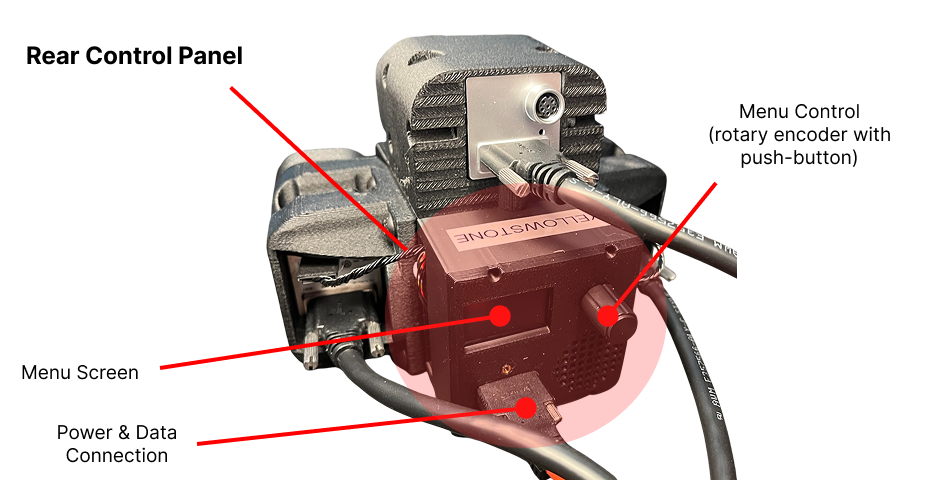
| Control | Location | Function |
|---|---|---|
| Power Button | There is no discrete power button however the rotary encoder Menu Control can be used to access the power control for the laser via the Menu Screen. See Laser Operation for more details. | Device will power-up into a saved state. The state of the laser controls are saved to memory on the device. The user can save the state of the controls with long-press of the rotary encoder or via serial interface with the Vision Controller software |
| Power & Data Connection | Rear Control Panel | Supplies power and provides serial interface to the Vision Controller |
Service Restrictions
Do not attempt to access internal controls or adjustments. All internal settings are factory-configured for optimal safety and performance. Opening the device voids the warranty and may expose you to hazardous radiation levels.